Reviewing & Approving Commands
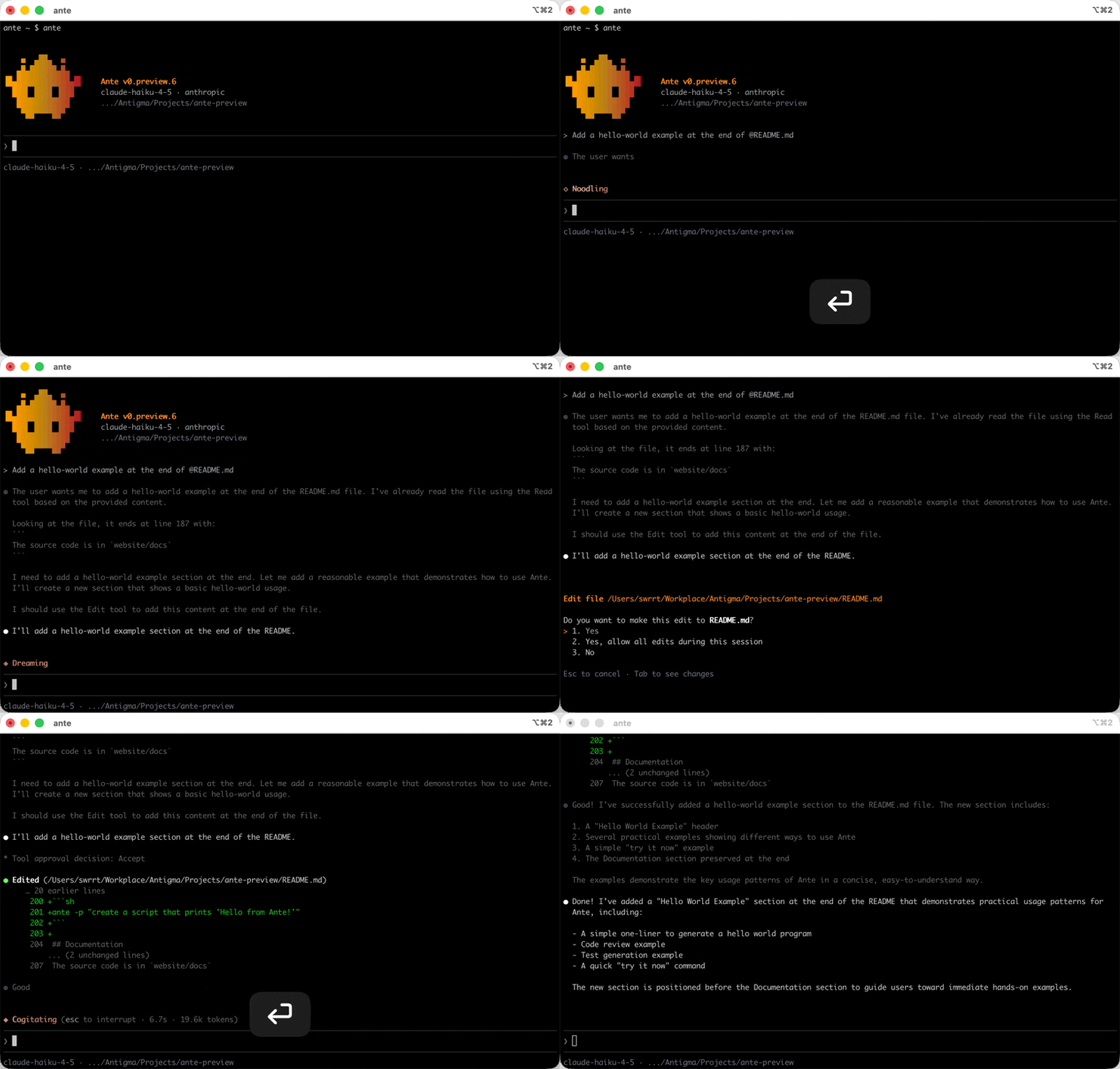
Ante never runs destructive commands without your explicit approval. When the agent wants to execute a tool that could modify your system (like running a shell command or writing a file), you'll see an approval prompt.
The approval flow
Each tool call shows what the agent wants to do. Use the arrow keys to pick your response and press Enter, or hit the matching number directly:
| Key | Action |
|---|---|
↑ / ↓ | Navigate between the options |
1 – 5 | Pick an option directly |
y / Enter | Confirm the highlighted option |
Esc | Reject the tool call |
Tab | Preview the proposed diff or request details |
- Yes — approve this one call
- Yes, allow … for this session — grant it for the rest of the session. The grant is scoped — a Bash command generalizes to a safe prefix (approving
cargo test -p foocoverscargo test *), so sibling calls don't re-prompt - Yes, always allow … (save to settings) — also persist an allow rule to
settings.jsonso it applies in future sessions - No — reject the tool call; the agent will adjust its approach
- No, and tell Ante what to do differently — reject and send the agent a reason (see below)
Press Tab to open a diff view and inspect exact line-by-line changes before committing.
Auto and Yolo modes
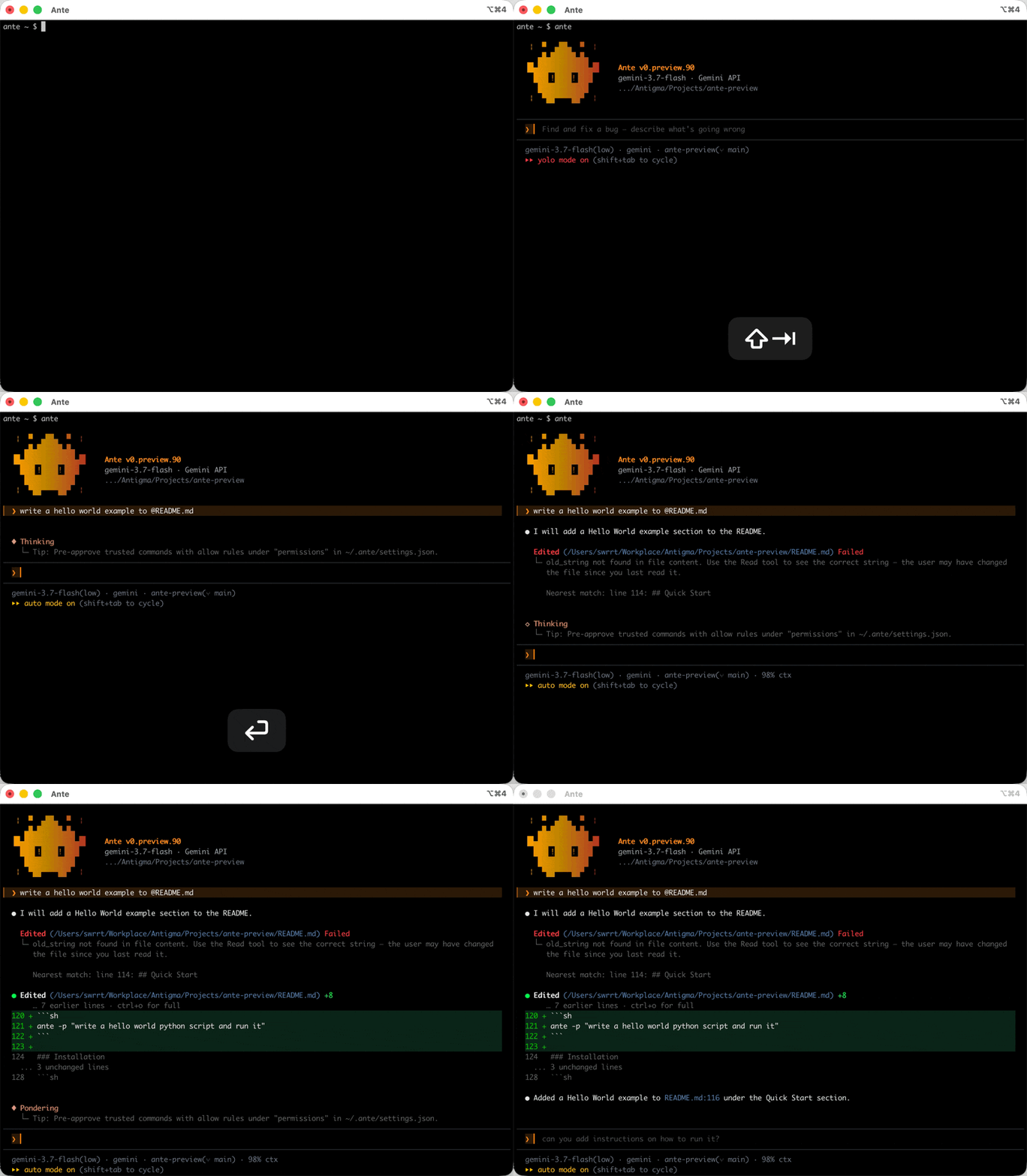
Press Shift+Tab to cycle the permission mode at any time: strict → auto → yolo. The change takes effect immediately, including for a turn that is already running.
- Auto honors your permission rules, then allows unmatched tool calls automatically. Bash commands that Ante classifies as dangerous still ask for approval.
- Yolo skips approval prompts and permission rules for the current session. You can also start directly in this mode with
ante --yolo.
See Permissions for mode defaults and rule configuration.
Rejecting with feedback
The last option opens a one-line field under the prompt. Type what the agent should do instead and press Enter to send it; Esc goes back to the choice list and Ctrl+C clears the field without interrupting the turn. An empty field never submits, and the field caps at 2,000 characters. Standard readline editing keys work — Ctrl+A/Ctrl+E, Ctrl+W, Ctrl+K/Ctrl+U, and Ctrl+Y to yank back what you killed.
Your reason reaches the model as the tool call's failed result, Tool call denied by user: use the read-only endpoint, in place of the bare Tool call denied by user and was not executed. that a plain No sends. In the transcript the denied call shows a red Failed header with the reason as its child row.
If you trust the agent for a particular task, use ante --yolo to skip all approval prompts. You can also fine-tune which tools require approval in the permissions configuration.