Reviewing & Approving Commands
Ante never runs destructive commands without your explicit approval. When the agent wants to execute a tool that could modify your system (like running a shell command or writing a file), you'll see an approval prompt.
The approval flow
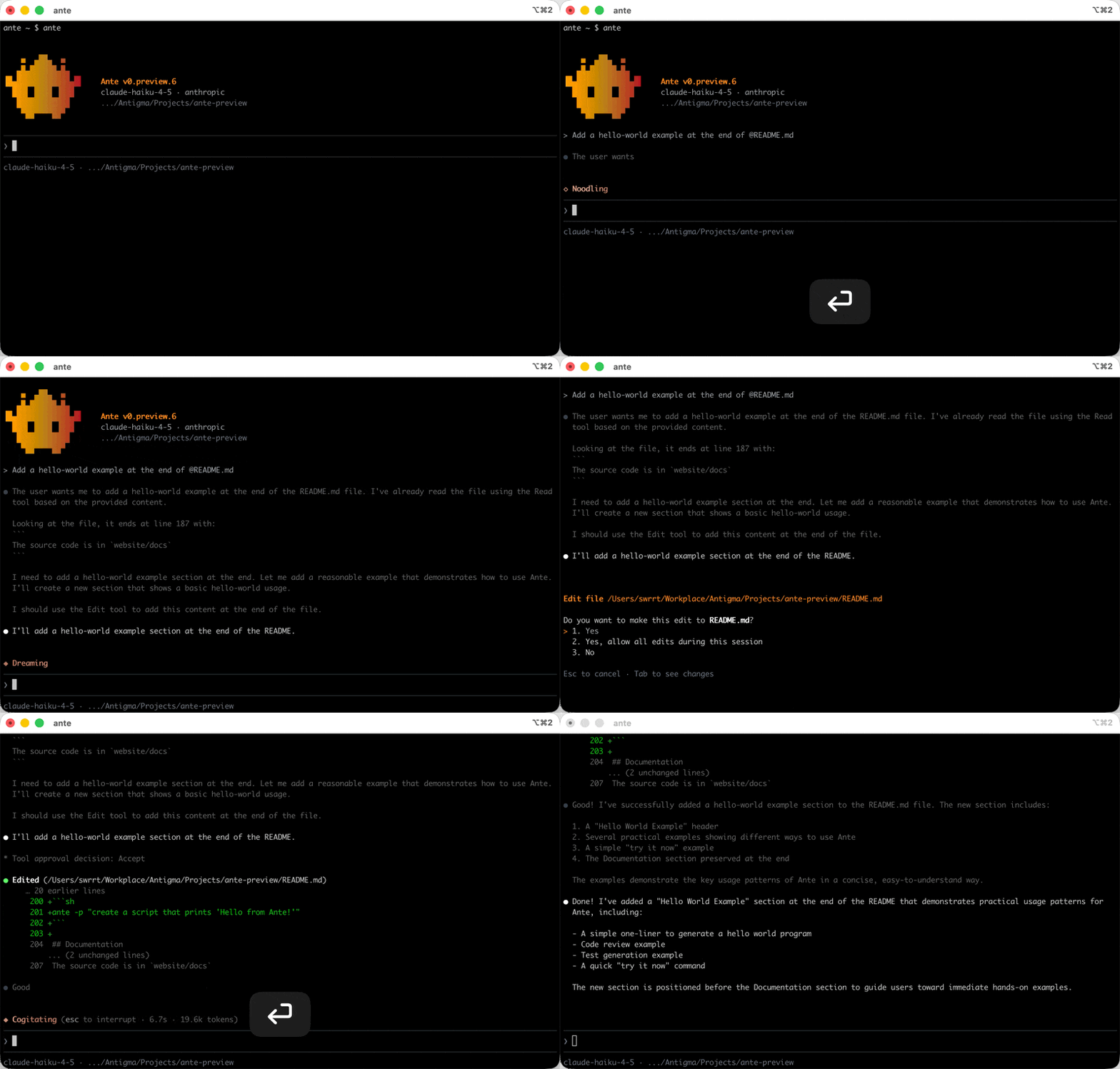
Each tool call shows what the agent wants to do. Use the arrow keys to pick your response, then press Enter to confirm:
| Key | Action |
|---|---|
Up / Down | Navigate between Yes, Yes, and for future, and No |
Enter | Confirm your selection |
Tab | Preview the proposed diff before deciding |
- Yes — approve this tool call
- Yes, and for future — approve this and auto-approve the same tool for the rest of the session
- No — reject the tool call; the agent will adjust its approach
Press Tab to open a diff view and inspect exact line-by-line changes before committing.
tip
If you trust the agent for a particular task, use ante --yolo to skip all approval prompts. You can also fine-tune which tools require approval in the permissions configuration.