Offline Mode (Experimental)
Ante can run entirely offline using local GGUF models via llama.cpp. This means no API keys, no internet, and no data leaving your machine.
How it works
Ante includes an integrated inference engine powered by llama.cpp. When you select offline mode, Ante:
- Checks for llama.cpp installation (and offers to install/upgrade if needed)
- Discovers GGUF models on your system
- Detects running llama servers on local ports
- Estimates memory requirements based on model size and context window
- Runs inference locally through the engine
Setting up
-
Launch Ante and open offline mode — Start Ante normally and use the offline mode selector in the TUI:
ante -
Install llama.cpp — If not installed, Ante will prompt you to install it automatically to
~/.ante/llama.cpp. When a newer version is available, Ante will offer an upgrade option. -
Select a model — Choose from:
- Verified models — curated models tested for compatibility (downloaded from Hugging Face)
- Local models — GGUF files already on your system (auto-discovered)
- Running servers — attach to an already-running llama server on a local port
-
Or pass a model path directly — skip the TUI and load a GGUF file in one step:
ante --offline-model /path/to/model.gguf "your prompt here"Ante boots the llama-server, waits for it to be ready, then runs the session. Useful in scripts or CI.
Scripted and server usage
Headless (single session)
Pass --offline-model to run a one-shot prompt against a local GGUF file — no TUI required:
ante --offline-model ~/.ante/models/Qwen3.5-9B-Q4_K_M.gguf "Explain this code"
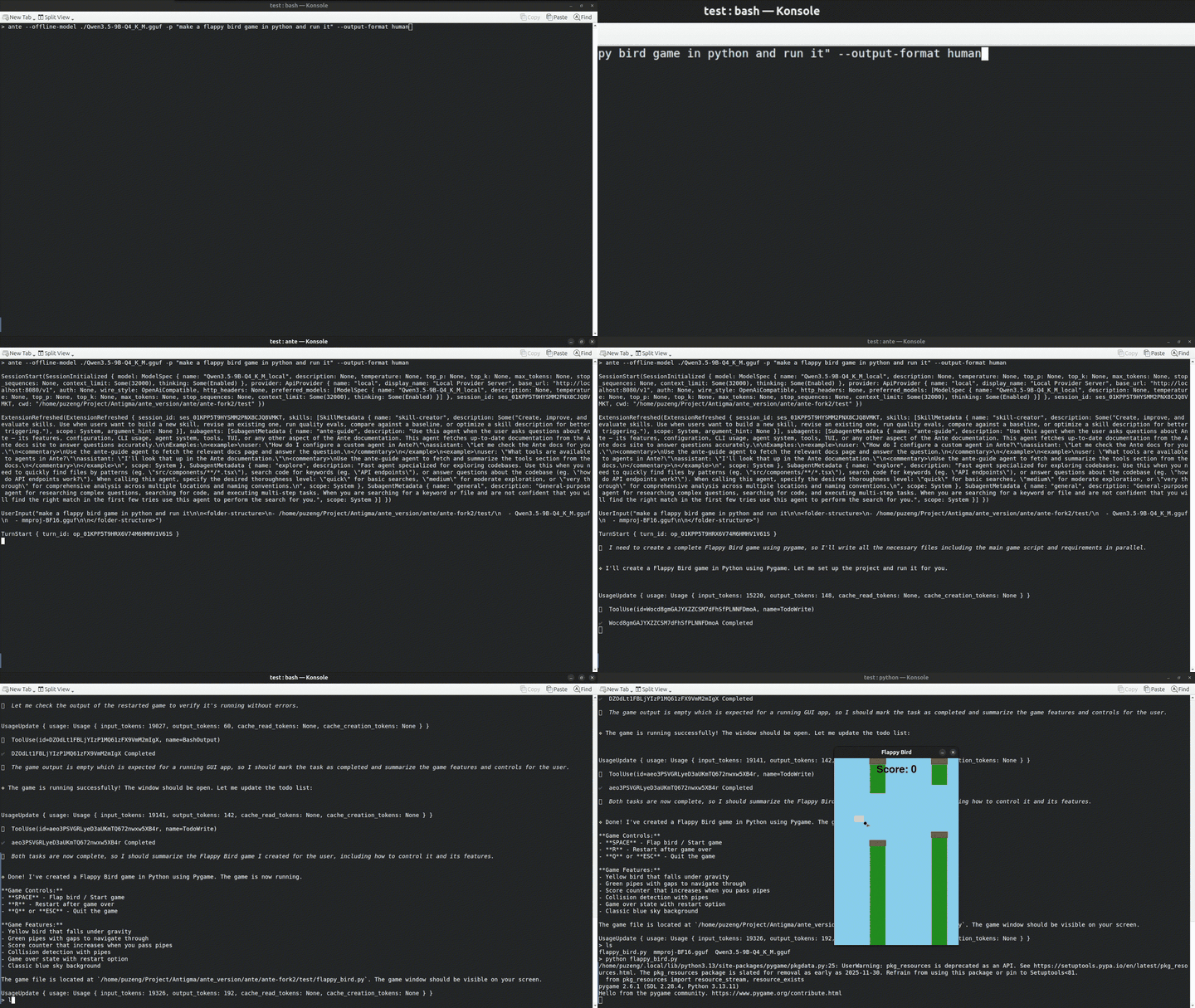
Ante starts the llama-server, waits for it to become ready, runs the session, then shuts the server down automatically.
Serve mode (WebSocket server)
When running ante serve, you can load a model once and share it across all connecting clients:
ante serve --ws 127.0.0.1:9000 --offline-model ~/.ante/models/Qwen3.5-9B-Q4_K_M.gguf
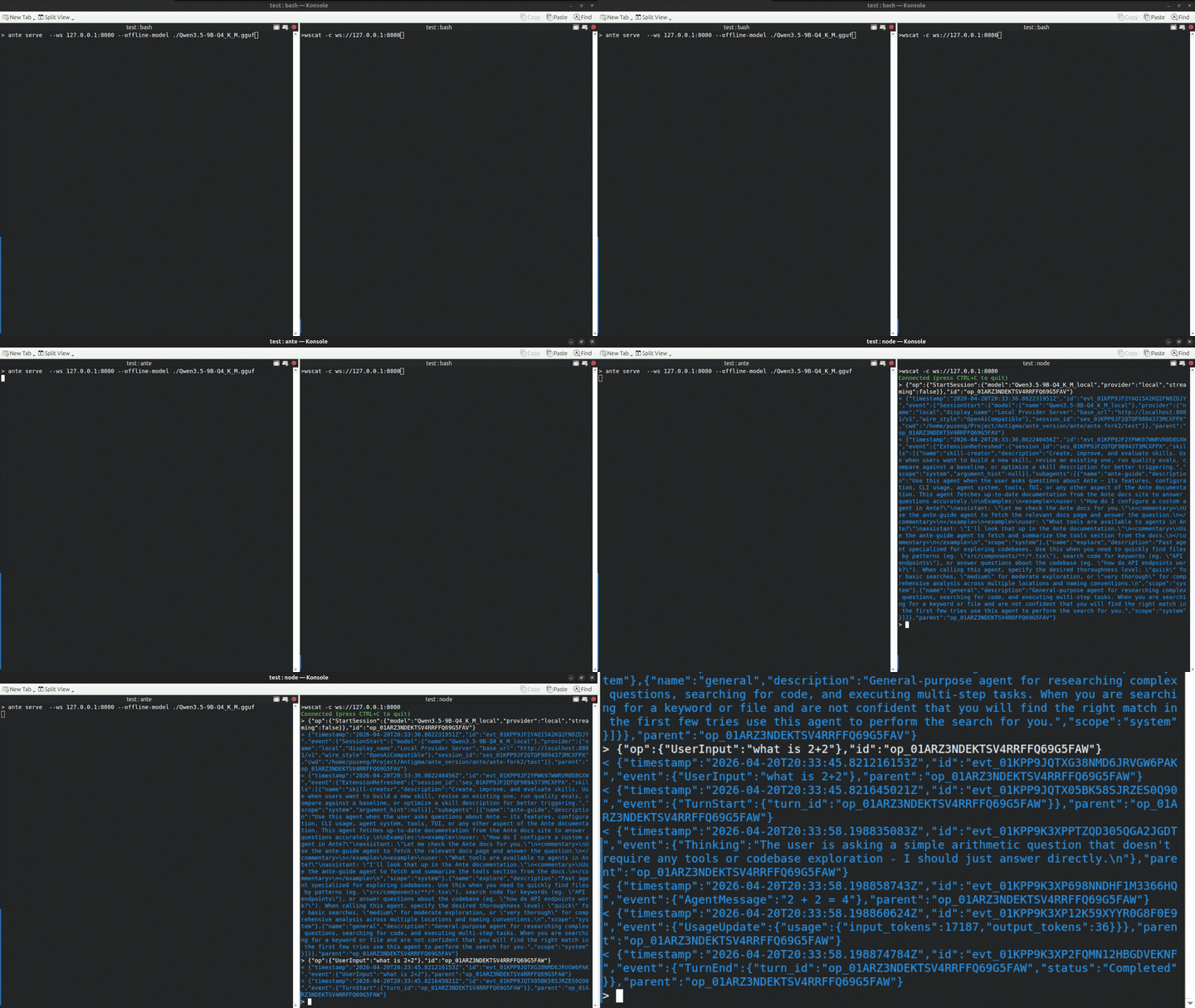
The llama-server starts before accepting connections, and each WebSocket client uses the same running server. The server shuts down cleanly on Ctrl+C or SIGTERM.
Loading progress
When a model is downloading or being loaded into memory, Ante shows a real-time progress bar in the TUI with status messages:
- Download phase — progress tracks bytes received against the total file size
- Metadata — model metadata is being read from the GGUF file
- Tensor loading — weights are being loaded into RAM/VRAM
- GPU offload — layers are being transferred to the GPU (if available)
The same progress is reported in headless mode via log output.
Model discovery
Ante automatically scans the following directories for GGUF model files:
| Directory | Description |
|---|---|
~/.ante/models | Default model directory (configurable) |
~/.cache/llama.cpp | llama.cpp cache |
~/.cache/huggingface/hub | Hugging Face cache |
~/.llama/models | Common llama model directory |
Model preferences
| Setting | Description |
|---|---|
context_window | Context window size (minimum 32K tokens) |
thinking | Enable/disable chain-of-thought |
temperature | Sampling temperature |
Memory considerations
Ante estimates memory usage based on model file size, KV cache (scales with context window), and shard count.
For large models, reduce the context window to lower memory usage. The minimum is 32K tokens.
Server management
| Shortcut | Action |
|---|---|
Ctrl+E | Stop the currently connected server |
Ctrl+O | View the server log |
When exiting Ante with a server running, you'll be prompted:
s— Stop the server and exitk— Keep the server running and exit (prints PID)Esc— Cancel and stay in Ante
Verified models
Ante includes a curated list of verified models. To add custom verified models, create ~/.ante/verified_models.json:
{
  "models": [
    {
      "name": "My Custom Model",
      "repo": "username/repo-name",
      "filename": "model-Q4_K_M.gguf",
      "context_window": 32768,
      "file_size_mb": 5000,
      "kv_cache_bytes_per_token": 131072
    }
  ]
}
Configuration reference
All offline mode configuration is stored in ~/.ante/offline-config.json:
{
  "version": "1.0.0",
  "model_directory": "~/.ante/models",
  "port": 8080,
  "last_model": "model-name",
  "model_preferences": {
    "model-id": {
      "model_id": "model-id",
      "context_window": 32768,
      "thinking_enabled": true,
      "temperature": 0.7
    }
  }
}
| Field | Description | Default |
|---|---|---|
model_directory | Where to look for local GGUF models | ~/.ante/models |
port | Starting port for the llama server | 8080 |
last_model | Last used model (auto-saved) | — |
model_preferences | Per-model settings | — |
Environment variables
| Variable | Description |
|---|---|
ANTE_OFFLINE_CONTEXT | Override the default context window cap (tokens). Useful when you need a larger context than the 32K default, and your hardware has enough RAM. Example: ANTE_OFFLINE_CONTEXT=65536 ante --offline-model ... |