MCP Servers
Ante can connect to Model Context Protocol servers to surface their tools to the agent. Each configured server is launched as a subprocess and its tools become callable like any built-in tool.
Configuration
MCP servers are declared in ~/.ante/settings.json under the mcp_servers map. The key is the local server name; the value describes how to launch it.
{
  "mcp_servers": {
    "filesystem": {
      "command": "npx",
      "args": ["-y", "@modelcontextprotocol/server-filesystem", "/tmp"]
    },
    "github": {
      "command": "npx",
      "args": ["-y", "@modelcontextprotocol/server-github"],
      "env": { "GITHUB_TOKEN": "ghp_..." }
    }
  }
}
| Field | Required | Description |
|---|---|---|
command | Yes | Executable to spawn the server process |
args | No | Arguments passed to the command |
env | No | Environment variables set on the server process |
enabled_tools | No | Allowlist of raw tool names to expose. When empty or absent, all tools from the server are exposed |
Only the stdio transport is supported — Ante spawns the command, speaks MCP over its stdin/stdout, and forwards stderr to the log.
Tool naming
Each tool offered by a server is exposed to the agent as mcp__<server>__<tool>. Non-alphanumeric characters in either part are replaced with _, so a server keyed my-server with a tool named do.thing becomes mcp__my_server__do_thing.
MCP tools obey the same --tools / --include-tools / --exclude-tools filtering as built-in tools. A restrictive --tools base that doesn't name them will strip them. To shape what each server exposes regardless of the session filter, use enabled_tools:
{
  "mcp_servers": {
    "filesystem": {
      "command": "npx",
      "args": ["-y", "@modelcontextprotocol/server-filesystem", "/tmp"],
      "enabled_tools": ["read_text_file", "write_file"]
    }
  }
}
Lifecycle
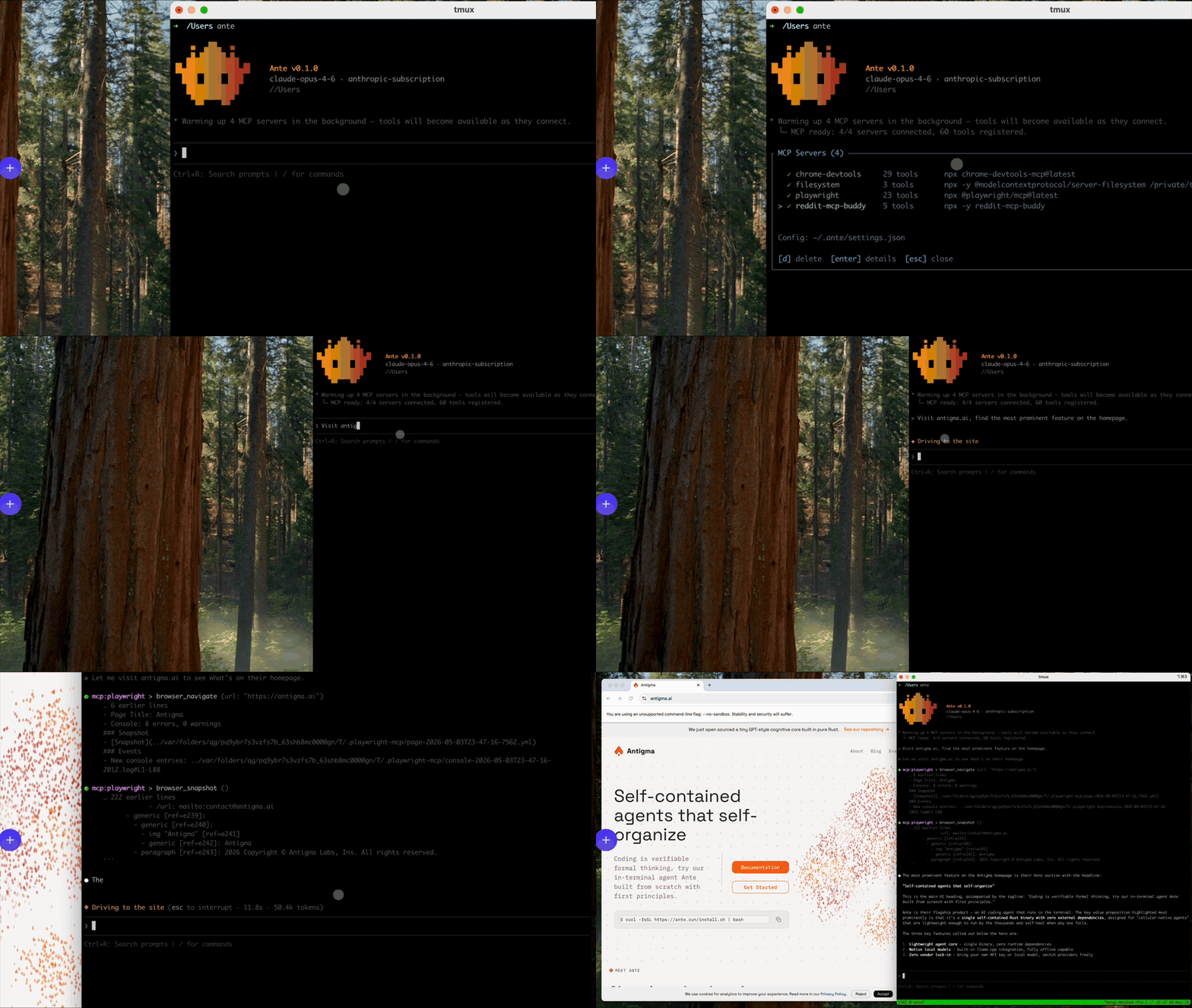
In the interactive TUI, MCP warm-up runs lazily in the background so the daemon stays responsive. When a session starts:
SessionStartand the initialExtensionRefreshedfire immediately — the input is usable right away.- A background task connects to all configured servers in parallel. Each server gets a 15-second initialization deadline and a separate 15-second tool-list deadline.
- As each server's tools are discovered they are added to the live tool registry; tools that come online become callable on the next turn (in-flight turns hold a frozen snapshot).
- A second
ExtensionRefreshedis emitted once warm-up finishes so the/mcppanel populates with each server's discovered tool list.
Progress is surfaced to the user via a grouped notification (an InfoBlockStart plus follow-up InfoBlockAppend events — see the protocol reference):
* Warming up 4 MCP servers in the background — tools will become available as they connect.
  └ MCP ready: 4/4 servers connected, 60 tools registered.
Servers that fail to connect (or fail to list their tools) are logged, skipped, and reported as a child line under the warm-up block. Server processes are kept alive for the duration of the session and terminated when the daemon exits.
Headless runs (ante -p) block before their first prompt until MCP warm-up finishes. A turn's tool schema is frozen when that turn starts, so this ensures configured MCP tools are present for a one-turn headless task. ante doctor skips MCP warm-up entirely.
Tool-call timeout
Each MCP tool call has a 10-minute deadline so a hung server cannot pin a turn indefinitely. Set ANTE_MCP_TOOL_TIMEOUT to a positive number of whole seconds to change it for all MCP calls in the process:
ANTE_MCP_TOOL_TIMEOUT=120 ante
Zero, negative, or unparseable values keep the 600-second default. This setting covers tools/call; it does not change the initialization or tool-list deadlines above.
The /mcp command
In the TUI, run /mcp to inspect configured servers. The selector lists each server with its connection status, exposed tool count, and command. Press Enter on a server to see per-tool details (description and parameters), or d to remove the server from settings.json.
Adding new servers is done by editing ~/.ante/settings.json directly; the selector does not currently include an in-TUI add flow.
Approval
MCP tools do not require approval by default. Use --exclude-tools or permission rules to gate specific tools if needed.